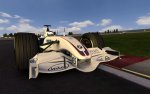
CTDP Templates for BMW-Sauber-2007
© 2007 CTDP -
Version 1.2 - Date: 25 June 2007
Description
ISI gave us the opportunity to create this car and now we want to give you the oportunity to style it as you like.
These are the templates of the 2007 BMW-Sauber car by ISI for rFactor.
This will help you paint your own cardesigns on the car.
Read about how to install the skins, below.
- Templates for BMW-Sauber 2007 by ISI
We hope to see many great and creative cars, so have fun painting!
Facts
| Title: |
CTDP Templates for BMW-Sauber 2007 |
| Author: | CTDP - Cars & Tracks Development Project |
| Other Works: |
- 2005 for rFactor (ISI)
- 2005 for F1Challenge (EA)
- 2004 for F1Challenge (EA)
- 2003 for F1Challenge (EA)
- 1998 for F1Challenge (EA)
- 1995 for F12K2 (EA)
- 1995 for Grand Pri 4 (Infogrames)
- Tracks for rFactor (ISI)
- Other Stuff
|
|
Base: |
All from scratch
Model by Marco Büttner and Andreas Neidhardt
Texture by Steffen Krägelin and Daniel Senff |
| Known Bugs: |
- To use skins, you have to cteate a "Skin"-folder with a subdirectory "Misc" in the Sauber-directory. You then have to copy the BMWxx.dds textures into this Misc-Folder. The bmw.dds comes in the Skin-folder.
This is necessary because otherwise you can only select the newsly installed skin, but not the cars.
|
| Build Time: |
March 2007 |
Disclaimer
It's not allowed to copy anything from this package without an explicit permission from CTDP.
You use this MOD on your own risk! We're not responsible in case of problems.
You do not have permission to put this package on any cover-cds without our explicit permission!
This modification may not be distributed for any commercial purposes!
You may freely use this template to paint own cars. They may only be used in the CTDP 2005 mod.
The textures may be distributed freely without explicit permission from CTDP.
Webmasters can upload this template, but to keep the overview we appeciate getting informed about mirrors.
Instructions for installing skins
There is one small thing you should know before you ask questions.
So to use skins with the BMW-Sauber 2007, you have to create 2 folders first. Go into rFactor/GameData/Vehicles/FBMW07/SAUBER and create a folder called "skins" which itself includes a folder called "misc"
Now got back to the Sauber-Folder and copy all dds-textures into this misc-folder. The only exception is the bmw.dds, which comes directly into the skins-folder.
Why all this? Without the copied textures of the original car, you won't be able to switch back to the Sauber-Textures from the menu. This is to avoid this.