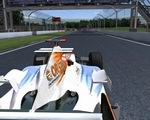
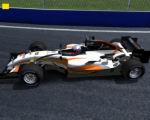
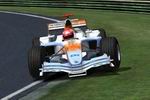
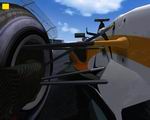
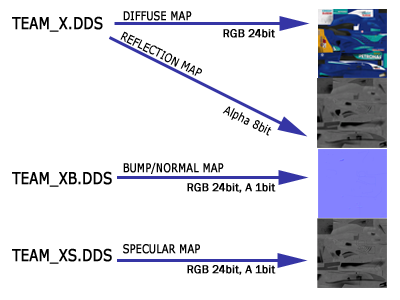
Specular Map (grey)
The Specular Map (short spec) is the team_XS.dds. This one basically defines how bright your car is under sunlight.
The alpha is plain white.
To make a long story short, you CAN copy the alpha-channel if done properly, but you will at least have to tweak brightness and contrast.
For both channels, the very best method is to take the car-sources and create a folder including 2 Settinglayers.
One, that sort of inverts the color and second a layer to desaturate the colors, leaving a greyscale picture.
This Alpha-folder (as I call it) must be above the design/ads/carbon-layers, but beneath all shadings and details(bolts, lines). In this templates I already prepared this one.
Usually I disable ads, so I don't have to make a new spec everytime a logo changes on the actual texture. If the main design changes
frequently you can even disable the design and just keep a plain grey background.
When this is done, I usually darken the maps by 50-70%. For this purpose I added a alpha-strength-layer in the templates, which darkens by this amount.
Note this value should be the same on all 3 textures.
Some words on why I invert the design. Thing is, black is more reflective, therefore has a lighter spec, as sun also reflects stronger. other materials
like white ones seem less reflective and so they don't have such an high spec, to give more contrast.
But, you can not simply invert the original textures, as this would also light up shaded areas, which would now be unrealistic
reflective and with utterly bright spec. It would look strange ingame and you'd loose contrast on the car.
That's why you have to invert the design beneath the shadows.
As I did the Spec-maps and I had to come up with a new way to get everything in the best possible result, it's lots of
trial and error and in the end it's a matter of how good you want the result to look, while not having to do too much work and being as flexible as possible.
Save this as Teamname_xS.dds - DDS DXT1 with 1bit white alpha. The texture can be scaled down to half the size of the original, ie 512²
Disclaimer
It's not allowed to copy anything from this package without an explicit permission from CTDP.
You use this MOD on your own risk! We're not responsible in case of problems.
You do not have permission to put this package on any cover-cds without our explicit permission!
This modification may not be distributed for any commercial purposes!
You may freely use this template to paint own cars. They may only be used in the CTDP 2005 mod.
The textures may be distributed freely without explicit permission from CTDP.
Webmasters can upload this template, but to keep the overview we want to get informed about mirrors.
Specular Map (colored)
You can also use colored specular maps. This will result in some slight coloration of the car when under lighting. This may be used for some cool effects, however on the
original F1-2005 cars, we use grey maps only.
Bump Maps
Some words on making bump maps. Usually you don't have to replace bump-map textures, but ingame you want to try something fancy, this may get you some cool results.
On the bumpmaps you should only have:
- jointlines
- bolts
- holes
- deeps/darks
- tape
No carbon for example (carbon has a smooth surface)
You take the nvidia plugin for normalmaps and get a full-purple map. (my settings are mostly RGB-based on 1:1 height)
The rendered maps are too strong. Many testers mentioned heavy lines on the car that ignore antialiasing. This is due to a too strong bumpmap.
What I do on the 2005 cars is turn the bumpmap down by 50%.
You can do this yourself if necessary by adding a new layer of the same purple color and just change the opacity to 50%. Merge them, Ready freddy.
Ingame it won't create this heavy lines anymore and the bumpmaps in general will fit much nicer to the car.
Save this as Teamname_xB.dds - DDS as DXT1 with 1bit white alpha